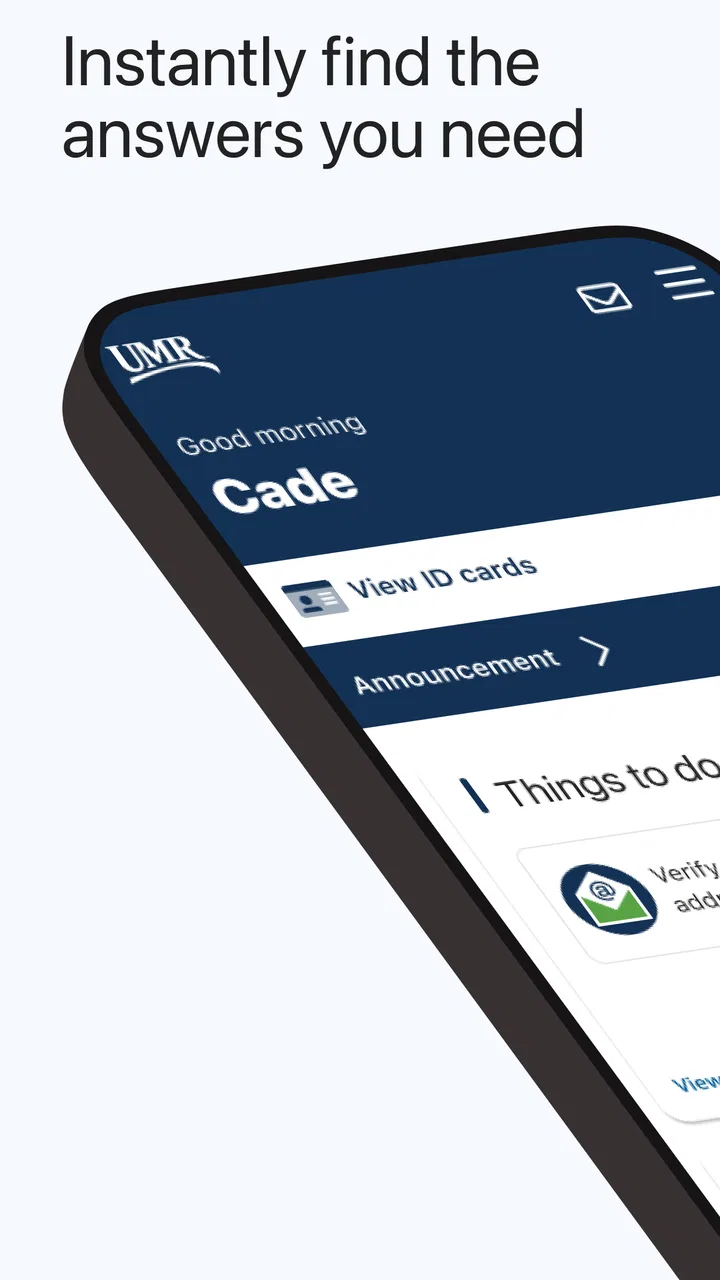
UMR | Health
- 4.4
- Rating
- 100.00K
- Installs
- Free
- Price

 Analysis by App-foxy
Managing health benefits is rarely difficult because of one complicated task. The frustration usually comes from having to remember where to look, which details matter, and what to do next when a medical expense or coverage question appears. UMR | Health is built around that everyday problem: it puts your UMR health-benefit information into a mobile app instead of leaving you dependent on paper documents, a desktop browser, or a call made at exactly the right time.
I reviewed it as a medical benefits app from UNITED HEALTHCARE SERVICES, INC., and my impression is that its value depends less on entertainment or clever extras and more on reducing small points of friction. It is free, rated for Everyone, and available for devices running Android or iOS software version 9 or later. The app has reached over 100 thousand installs and holds a 4.2 average from around 2 thousand ratings, which suggests that many users find the basic idea useful while still leaving room for a few individual frustrations.
The central question is simple: does having UMR information available while you are away from a computer make a real difference? In my experience, it can, especially when you are dealing with an appointment, a payment question, or a benefits decision and need to check information immediately. It is less compelling for someone who rarely needs to consult their plan or who expects a complete replacement for personal assistance.
You May Also Like

 Blood Strike: 2.5 Anniversary
Blood Strike’s Loadouts Turn Every Drop Into a Tactical Gamble
A close look at Blood Strike’s custom loadouts: how fast access to signature weapons reshapes its battle royale rhythm, rewards preparation, and narrows the gap between fights.

 Pandora - Music & Podcasts
Pandora’s Music Is Easy to Start, but Harder to Recover
Pandora’s strength is its low-effort path from a seed to a station. Its weak spot is how much confidence it asks you to place in connection, setup, and quiet recovery.

 8 Ball Pool
 Is Built on Rivalries, Rematches, and Routine
A close look at the rivalries, rematches, shared routines, and unanswered safety questions that turn a quick pool match into a persistent mobile community.

 Samsung Music
’s Quiet Strength Is Playing What You Already Own
Its reach comes less from spectacle than from dependable access to a personal library. That simplicity is both the app’s strongest retention engine and its ceiling.

 AccuWeather: Weather Radar
AccuWeather Review: A Quick, Clear Forecast for Everyday Decisions
For everyday plans, the best forecast is the one you can understand quickly. AccuWeather makes rain timing, radar, and local conditions easy to act on, with a few trade-offs.

 Hill Climb Racing
Why Hill Climb Racing Still Turns Crashes Into One More Run
A tiny car, a bumpy hill and one more upgrade: Hill Climb Racing keeps resurfacing because its simple chaos makes every near-miss feel personal.
More From Our News Desk
View All News


Why mobile access to UMR benefits matters
The strongest capability here is not a flashy health tool. It is the ability to keep your benefits information close at hand when a question comes up in ordinary life. That sounds modest, but health coverage questions often appear at inconvenient moments: while arranging care, checking a medical bill, speaking with a provider, or trying to understand whether a service fits your plan.
With a conventional approach, I might search through saved documents, open a browser, remember a login, or postpone the question until I am back at a computer. A dedicated UMR app gives that process a more natural place on the phone I already carry. The practical benefit is speed and context. Instead of treating benefits as something I review only during an annual enrollment period, I can approach them as information I may need before making a healthcare decision.
That distinction is important. This is not a general wellness app, a symptom checker, or a replacement for medical advice. Its role is administrative and informational: helping people interact with their health-benefit details. If you install it expecting exercise tracking, medication reminders, or diagnosis support, you will be looking for the wrong kind of product. Its usefulness comes from being connected to the UMR experience, not from trying to cover every part of personal health.
I also appreciate that the app’s purpose is immediately understandable. The store summary presents it as health benefits on the go, while the short description identifies it as UMR. That narrow focus is a strength because it avoids turning a benefits task into a crowded health dashboard. When I want plan-related information, I do not need to sort through unrelated lifestyle content first.
What the capability changes during a real day
Imagine that I am at work and receive a message about an upcoming appointment. I want to check a benefit detail before confirming the visit, but I do not have my plan paperwork with me. The useful workflow is not necessarily dramatic: open the app, sign in if needed, locate the relevant information, and use what I find to decide whether to continue, ask the provider a better question, or contact UMR for clarification.
That last step matters. A mobile benefits app does not remove the need for judgment. It can help me arrive at a conversation prepared, but it should not encourage me to assume that a quick glance answers every coverage question. Healthcare wording can be specific, and the difference between a general benefit description and a final claim decision may be significant. I see the app as a first stop for orientation, not an automatic guarantee.
The same applies when reviewing a bill. Having access to benefit information while looking at the bill can help me compare what I expected with what I am seeing. If something does not make sense, I can identify the point of confusion sooner. That is more useful than vaguely knowing that I have insurance but not knowing where to begin.
How I would use it before, during, and after care
Before an appointment, I would use the app to refresh my understanding of the benefits connected to the planned service. I would write down any terms I do not understand rather than relying on memory. During a conversation with a provider’s office, that preparation could make my questions more precise. Afterward, I would return to the app when reviewing related information, especially if the cost or coverage explanation is not immediately clear.
This three-stage habit is one of the more useful ways to approach a benefits app. Many people open one only after a problem appears, when they are already stressed. Checking relevant information beforehand can expose questions while there is still time to ask them. It also reduces the temptation to treat a provider’s estimate, a plan description, and a final claim outcome as identical things.
A second practical tip is to use the app as a reference during phone calls, not as a substitute for taking notes. If I need help from UMR, I can use the information on screen to explain what I am looking at and record the answer in my own words. That creates a clearer personal record than ending a call with only a vague impression that someone “said it should be covered.”
A third tip is to check information when the question is still small. Waiting until a bill feels urgent makes every screen and every unfamiliar term more intimidating. A short review after an appointment, or before scheduling a related service, can turn a confusing issue into a specific question. The app’s mobile format is most valuable when I use it proactively rather than only during a crisis.
The best scenario for UMR | Health
The app makes the most sense for someone whose health coverage is administered through UMR and who regularly moves between work, home, appointments, and family responsibilities. A person who needs to check benefits while away from a desk gains more from mobile access than someone who handles every insurance task from a home computer.
It can also help people who are organized but do not want to carry printed documents. I like the idea of having a single starting point when a question arrives unexpectedly. Even if I still need to contact a representative for a definitive answer, I can begin with context instead of starting from zero.
Consider a parent coordinating care for a family member. The difficult part may not be finding a phone number; it may be remembering which benefit detail to ask about and when. A mobile app can support that preparation while the parent is traveling between appointments. It does not make the healthcare system simple, but it can make the information-gathering step less dependent on location.
Another strong scenario is a user who prefers checking information independently before calling. Some people would rather read what is available, identify the exact uncertainty, and then ask one focused question. For them, the app can reduce unnecessary back-and-forth. It is also a reasonable fit for users who already manage documents, appointments, and accounts from their phone and want benefits to follow the same pattern.
Where the trade-offs become noticeable
The first trade-off is scope. Because this is a UMR benefits app, its usefulness is tied to having a relevant UMR relationship. It is not a universal insurance organizer that I would recommend to anyone simply looking for a general health app. If your coverage is handled elsewhere, the focused design becomes a reason to skip it rather than a reason to install it.
The second trade-off is that convenience does not equal certainty. A benefits screen may help me understand the direction of an answer, but healthcare decisions can depend on details such as the service, provider, timing, and plan terms. I would not use a mobile display as the sole basis for an expensive or urgent decision when the wording is unclear. In that situation, contacting UMR or the appropriate healthcare office remains the safer next step.
There is also a human-factor limitation. Mobile screens are convenient, but they are not always comfortable for careful comparison. If I need to read a long explanation, compare several documents, or keep notes beside the information, a larger screen may be better. The app is strongest for quick access and initial review; a browser or a conversation with support may be more comfortable for complicated cases.
Another possible friction point is the login experience. Any health-benefit account needs appropriate access controls, and that can mean an extra step when I am trying to look something up quickly. I consider that a reasonable trade-off for sensitive information, but it still affects the feeling of immediacy. I would rather spend a moment authenticating than have private benefits information exposed, yet users who want completely instant access may find the process less convenient.
Version 2.25.0 shows that the app is an actively maintained product rather than an abandoned utility, but I would still keep expectations realistic. An update number does not tell me that every workflow will feel perfect on every phone. Device size, operating-system behavior, connection quality, and account status can all influence how smooth a benefits task feels in practice.
How it compares with the usual alternatives
The most obvious alternative is a web browser. A browser can be preferable when I am already working at a computer, need to view several pages at once, or want to keep a benefits explanation open beside another document. It may also feel more suitable for detailed research. The app wins when I am away from a desk and want a dedicated route to UMR information without searching through bookmarks or remembering where the correct page begins.
Paper documents have a different advantage: they remain available without a battery or connection. They can also be easier to annotate during a long conversation. Their weakness is that they may be outdated, difficult to carry, or hard to search when a question appears unexpectedly. I would not throw away useful records simply because I installed the app. I would use the app for current access and keep important personal notes or documents in a sensible place.
Calling support is still the better option when the question is complicated, urgent, or dependent on a detail I cannot interpret confidently. A representative can discuss the issue directly, while an app generally asks me to understand the information presented and decide what it means for my situation. The best combination is often mobile access first, followed by a focused call when the answer needs human explanation.
General health apps are not really competitors here. They may be better for tracking habits, recording symptoms, or supporting wellness routines, but they do not serve the same administrative purpose. Comparing them with UMR | Health is like comparing a calendar with a bank app: both live on a phone, yet they solve different problems. I would choose this app for benefits access, not for broader health coaching.
Who gains the most from installing it
I would recommend it first to UMR members who frequently need benefit information while traveling, working away from home, or managing appointments for themselves or others. The app is especially sensible for people who dislike carrying paperwork and want a consistent place to begin when a coverage question appears.
It is also a good match for users who prefer self-service but understand its boundaries. If I am willing to read carefully, compare what I see with the situation in front of me, and ask for clarification when necessary, the app can become a practical part of my healthcare routine. The free price removes the financial barrier to trying it, although the real value still depends on whether my UMR account and daily needs make mobile access worthwhile.
I would be less enthusiastic for someone who rarely checks benefits, prefers handling insurance only by phone, or expects the app to make coverage decisions on their behalf. People who need extensive document comparison may also prefer a desktop browser. And anyone looking for medical diagnosis, emergency guidance, fitness tracking, or medication management should choose a tool designed for those purposes instead.
My final assessment of the mobile benefits approach
UMR | Health succeeds when I judge it by the problem it is meant to solve: making UMR health-benefit information easier to reach during normal life. Its best quality is practical availability. A benefits question can appear in a parking lot, at work, or between appointments, and a phone-based starting point is more useful there than a folder left at home.
At the same time, I would not confuse access with complete answers. The app can help me prepare, review, and ask better questions, but it does not remove the need to read carefully or contact support when the situation is complicated. That limitation is not a failure so much as a reminder that insurance information requires context.
My recommendation is straightforward: if your coverage is through UMR and you want a convenient way to consult benefits away from a computer, this free medical app is worth trying. Use it proactively before appointments, keep your questions specific, and switch to a browser or human assistance when the details become difficult. The real advantage is not replacing every insurance task; it is giving you a faster, more organized first step when a benefits question arrives.
FAQs for UMR | Health
01What features does the UMR | Health app offer?
The UMR | Health app provides a comprehensive suite of features designed to help users manage their healthcare needs. These include access to personalized health plans, claims tracking, provider search, and benefit details. Users can also find wellness resources and contact support directly through the app, making healthcare management more accessible.
02Is the UMR | Health app compatible with both Android and iOS devices?
Yes, the UMR | Health app is designed to be compatible with both Android and iOS platforms. It ensures a seamless user experience across different devices, allowing users to access their health information anytime, anywhere. Regular updates are provided to enhance functionality and security.
03How secure is my personal data on the UMR | Health app?
The UMR | Health app prioritizes user privacy and data security. It employs advanced encryption methods to protect personal and health information. Additionally, the app complies with industry standards and regulations, such as HIPAA, to ensure that your data is handled with the utmost care and confidentiality.
04Can I access my claims and benefits information through the app?
Absolutely. The UMR | Health app provides easy access to your claims and benefits information. Users can view detailed claims history, track the status of ongoing claims, and understand their benefits coverage. This transparency helps users make informed decisions regarding their healthcare management.
05What should I do if I encounter technical issues with the UMR | Health app?
If you experience any technical issues with the UMR | Health app, you should first ensure that you have the latest version installed. If problems persist, the app offers in-app support where you can contact customer service for assistance. They provide prompt help to resolve any technical difficulties.
Pros
- Intuitive user interface for easy navigation.
- Comprehensive health plan information access.
- Quick access to digital ID cards.
- Real-time claim updates and tracking.
- Secure messaging with customer support.
Cons
- Limited offline functionality available.
- Occasional slow response times.
- Some features require internet access.
- Compatibility issues with older devices.
- Limited customization options.

UMR | Health
Gallery